Grid Lines and Levels
In XBeam2d you can use a standard raster (squared paper) with white lines. By default this is switched off, but you can switch it on. See Display options.
Members and nodes can easily be drawn in the raster. There is snapping (magnet function) to the points of the raster. The size of the raster (horizontal and vertical) can be set. By default this is 250 mm x 250 mm. Adjusting the raster dimensions in the meantime is of course also possible. The colour of the raster lines can be set.
Often the structure does not come out at whole dimensions. Drawings are therefore frequently made with grid lines and levels. In XBeam2d you can use those as well. That helps you to enter your structure easily. Members and nodes can be drawn quickly and easily in this own raster. The node coordinates correspond exactly to the grid dimensions and the levels.
At the bottom left of the screen you find a tab Grid Lines/Levels. Here you can enter x-dimensions and z-dimensions in mm. The order in which you enter them does not matter.
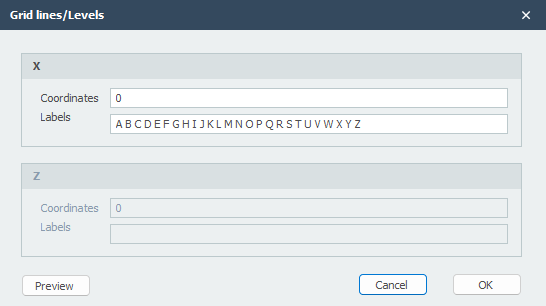
In this table you can enter an unlimited number of x-values and z-values. These lines are shown dotted on the screen. You do have to switch on the drawing of Grid Lines / Levels. See Display options.
 Watch the demo.