Spy

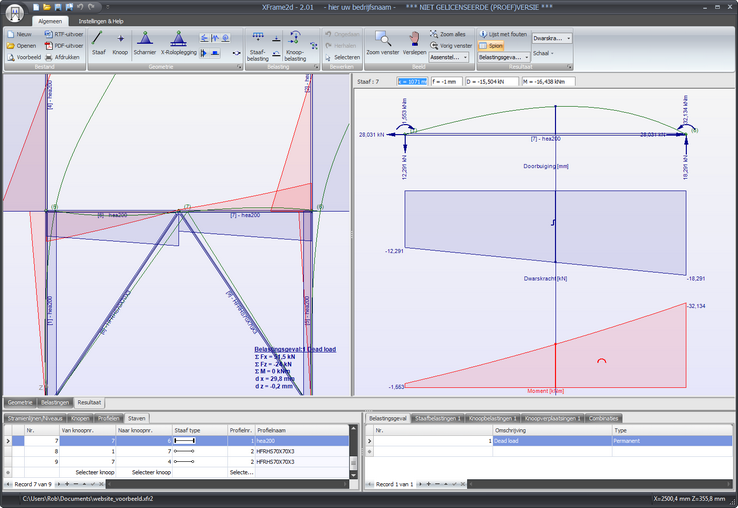
With the output spy you can examine the results of any member in detail.
Click the button . The window is now split into two panes. The left pane shows the complete structure, or a zoomed part of it. The right pane shows the selected member. By moving the vertical splitter, the size of both panes can be adjusted.
In the left pane you click on one of the members. This member is drawn in the right pane, including the member end forces. In the right pane you can move a vertical line. The forces are shown at the top of the pane.
You can choose N-lines, D-lines, M-lines and/or deflection lines.
By pressing the button again you return to a single pane.