Nodes
Nodes can easily be added in the graphical screen. In the menu bar choose  In this mode you can add several nodes with the left mouse button. While placing you see the coordinates at the bottom right of the screen.

Nodes can be placed arbitrarily, in a fixed raster, or on grid lines.
Supports are nodes that are fixed in a certain direction.
Changing a node
You change a node by clicking on the node with the left mouse button and then choosing properties with the right mouse button. Or, even easier, by double-clicking on the node. The dialog box below is opened.
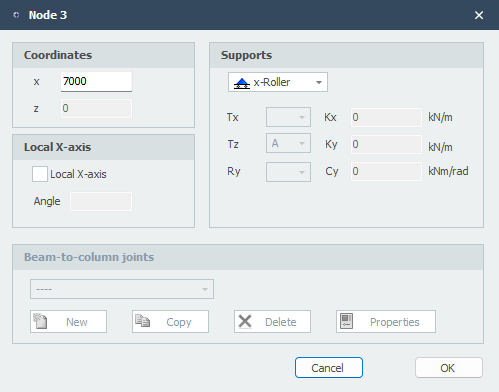
Coordinates
x
x-coordinate
z
z-coordinate
Restraints
See Supports.
Local X-axis
See Local axis system.
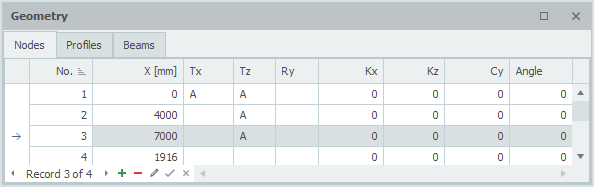
Nodes table
Nodes can also be added and/or changed in the table Nodes at the bottom left. It does not matter which you use. You can also switch between graphical input and table input in the meantime.