Member Loads


Member loads are entered in a local member coordinate system. See Sign Convention.
The dialog box below is opened.
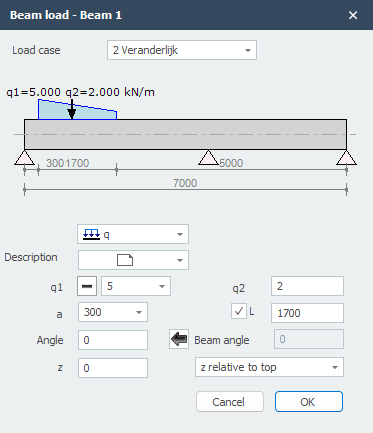
Load case
Choice of the load case. Here you can also create a new load case directly.
Type of load
Text that you can enter freely.
| type | description |
|---|---|
 |
uniformly distributed load or varying load |
|
point load - F-load |
|
moment - M-load |
q1
The magnitude of the load. For a q-load the magnitude of the load at the start in kN/m. For a point load the magnitude of the load in kN. For a moment the magnitude of the load in kNm.
With 
 you can easily change the sign of the load. By default the sign is set to , which is the most common.
q2
Only for a q-load: the magnitude of the load at the end in kN/m.
a
The distance in mm where the load starts, measured from the start node of the member.
L
Only for a q-load: the length of the load. By default the load runs up to the end of the member.
Angle
Only for the q- and F-load. The angle in degrees with the normal. Counter-clockwise is positive.
Member angle
The angle in degrees with the global x-axis. Counter-clockwise is positive. With  you can adopt the angle.
z
The distance in z-direction in mm relative to the reference line. The reference line can be set: 'z relative to top' / 'z relative to centroidal axis' / 'z relative to bottom'.
This distance is only relevant for the lateral-torsional buckling check.
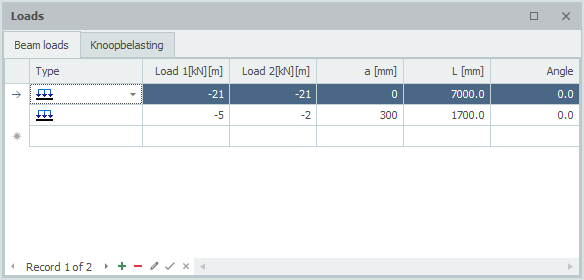
Table
Member loads can also be added and/or changed in the table. It does not matter. You can also switch between graphical and table input in the meantime.