Input
Here you can Add, Copy and Delete profiles. With Properties you can choose another profile or adjust the profile dimensions.
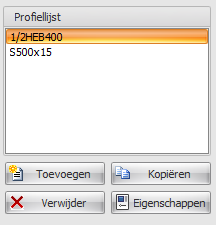
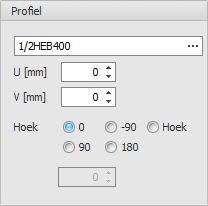
Profile Name
Enter the profile name here or select it from the profile database.
Special Input
- Halved H - syntax: "1/2 profile name [ - min dimension ]" Example: 1/2IPE300 or 1/2HE650B-5
- Rectangle - syntax: "S width x height" or "F width x height" Example: S200x12
- Hole - syntax: "G width x height" or "H width x height" Example: G50x25
- Round - syntax: "R diameter" Example: R50
- Tube (segment) - syntax: "R diameter x thickness [ / angle1 / angle2 ]" Example: R500x12 or R500x12/0/180
- Triangle - syntax: "D height x width" or "T height x width" Example: D50x60
Position
- U - Coordinate u in mm of the profile.
- V - Coordinate v in mm of the profile.
- Angle - Angle in degrees of the profile.