Graphical Input
A graphical view of the complete built-up section, showing by default:
- The cross-sections of all profiles, where the active profile is displayed in a different colour
- The coordinate system
- The position of the centroid
- The principal axes of inertia
- The distances from the centroid to the extreme fibres
- Display of the radii of gyration
- Display of the halving lines
Right Mouse Button
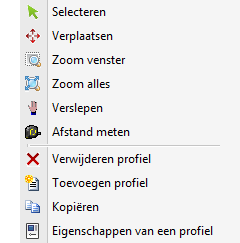
Menu

Functions
Select
In this mode you can select a profile (make it active).
Procedure: Move the cursor within the contour of the profile and press the left mouse button.
Move
Profiles can easily be moved graphically. Snapping to fixed / known points is automatic, which makes moving very simple. You can also adjust the coordinates (U,V) numerically.
Zoom window
This function is used to zoom in on a certain part of the section drawing.
Procedure: With the left mouse button pressed, drag a rectangular window from bottom left to top right. The mode is switched off automatically after zooming in.
Zoom all
This function is used to show everything. The mode is switched off automatically once zoomed out.
Pan
Procedure: With the left mouse button pressed you can drag the drawing.
Measure distance
In this mode distances can be measured. Snapping to all occurring contour points and to the points in the middle of all line segments is automatic.